
The Book Printing Process Explained Step-by-Step 3126:
Most people imagine that once the writing is done, the book magically appears on bookstore shelves. The Book Printing Process Explained Step-by-Step3126 In reality, the journey from manuscript to a professionally printed book involves multiple fascinating stages. Whether you’re an aspiring author, self-publisher, student, or curious reader, understanding the book printing process can help you make smarter publishing decisions and avoid expensive mistakes.
.1. Finalizing the Manuscrip
Before printing begins, the manuscript must be finished.
This stage involves:
- Editing
- Proofreading
- Fact-checking
- Revisions
- Grammar correction
Why This Step Matters

Printing errors can damage your credibility and increase production costs. A professionally polished manuscript ensures:
- Better reader experience
- Fewer mistakes
- Higher book quality
- Stronger reviews
Types of Editing
Developmental Editing
Focuses on structure, clarity, and overall content.
Copy Editing
Corrects grammar, punctuation, spelling, and consistency.
Proofreading
The final quality check before printing. Skipping editing is one of the biggest mistakes first-time authors make.
2. Book Formatting and Layout Design
Once the manuscript is finalized, it’s transformed into a print-ready format. This process is called typesetting or book formatting.
What Happens During Formatting?
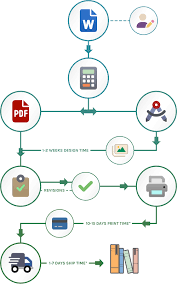
Designers organize:
- Font styles
- Margins
- Line spacing
- Chapter headings
- Page numbers
- Images and graphics
Professional Formatting Creates:
- Easy readability
- Visual consistency
- A polished appearance
- Better printing results
Common Formatting Software
- Adobe InDesign
- Microsoft Word
- Vellum
- Scribus
Important Tip
A poorly formatted book looks unprofessional, even if the content is excellent.
3. Designing the Book Cover
People absolutely judge books by their covers.
A compelling cover can dramatically increase sales and reader interest.
The Three Essential Parts of a Book Cover
- Front Cover
- Spine
- Back Cover
Elements of a Strong Cover Design
- Eye-catching title
- Readable typography
- High-quality images
- Genre-appropriate visuals
- Strong color contrast
Why Cover Design Matters
Your cover acts like a marketing tool.
It instantly communicates:
- The genre
- The tone
- The professionalism of the book
Always design your cover for both print and digital thumbnail visibility.
4. Obtaining an ISBN and Barcode
Before distribution, books typically need an ISBN.
What Is an ISBN?
ISBN stands for International Standard Book Number.
It’s a unique identification number assigned to books.
Why ISBNs Matter
They help:
- Bookstores track inventory
- Libraries catalog books
- Retailers identify editions
- Readers find your book easily
Barcode Creation
The ISBN is converted into a barcode placed on the back cover. Without a barcode, most retailers cannot sell the book.
5. Choosing the Printing Method
This is one of the most important decisions in the publishing process.
The two main printing methods are:
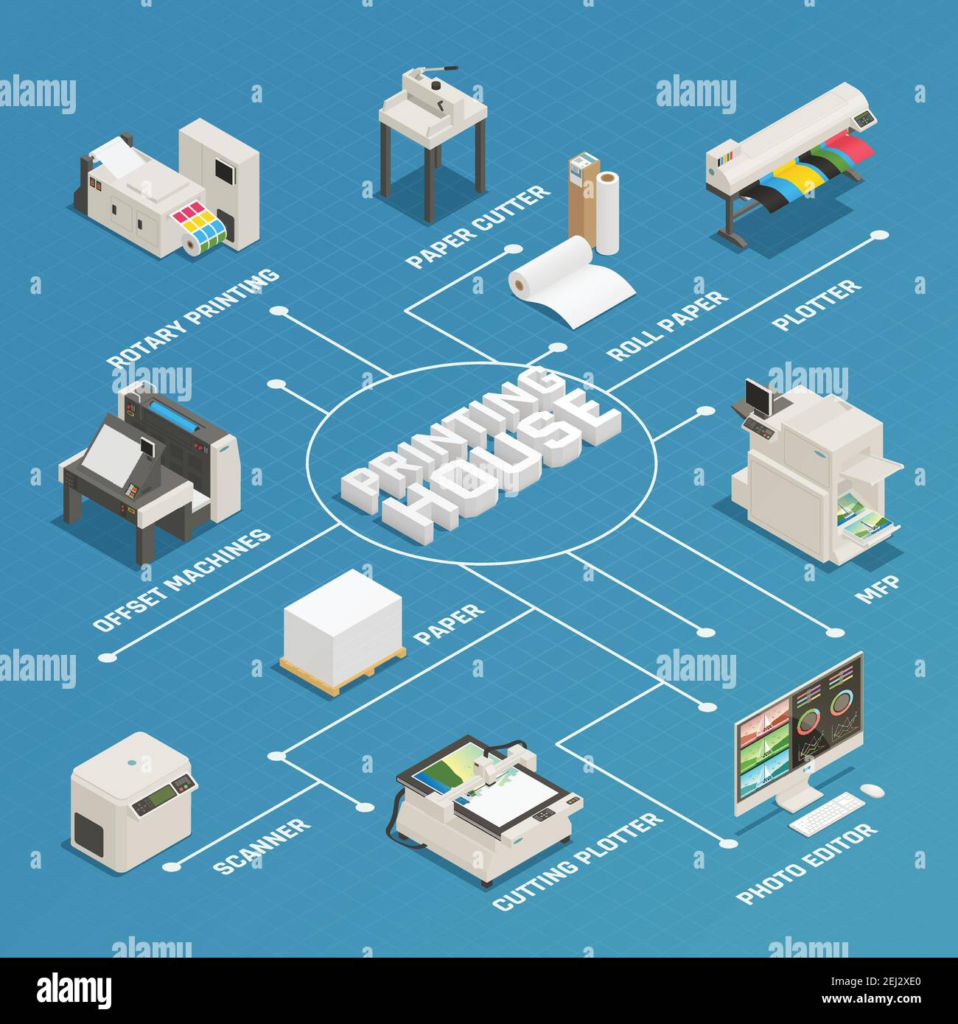
- Offset Printing
- Print-on-Demand (POD)
Offset Printing
Offset printing is ideal for large print runs.
Advantages
- Lower cost per book in bulk
- High-quality color printing
- Better paper options
- Professional finish
Disadvantages
- Higher upfront investment
- Requires inventory storage
- Risk of unsold stock
Best For
- Publishers
- Large orders
- Established authors
Print-on-Demand (POD)
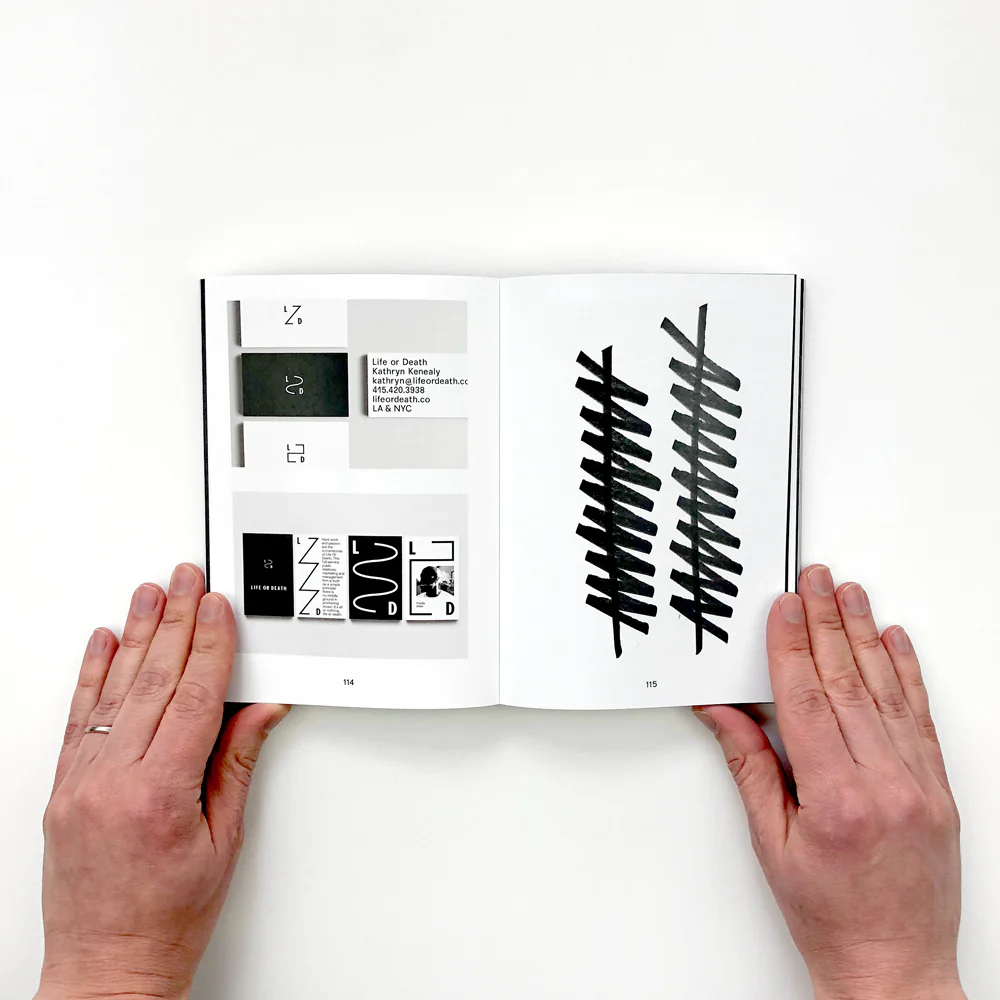
Print-on-demand books are printed only when someone places an order.
Advantages
- Low startup cost
- No inventory needed
- Reduced financial risk
- Easy global distribution
Disadvantages
- Higher cost per copy
- Limited customization options
Popular POD Platforms
- Amazon KDP
- IngramSpark
- Lulu
- Blurb
Best For
- Self-published authors
- Beginners
- Small print runs
6. Selecting Paper and Ink Quality
Paper choice affects the appearance, durability, and feel of the book.
Common Paper Types
Uncoated Paper
Soft texture and easier to read.
Common for novels and nonfiction books.
Coated Paper
Glossy finish with vibrant image quality.
Often used for:
- Photography books
- Cookbooks
- Magazines
- Art books
Paper Weight Matters
Thicker paper creates a premium feel but increases printing costs.
Ink Selection
Publishers choose between:
- Black-and-white printing
- Full-color printing
Color printing significantly increases production expenses.
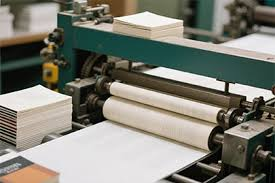
7. The Actual Printing Process
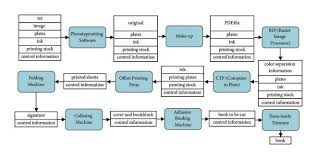
Now comes the exciting part the physical printing.
How Printing Works
Large industrial printers transfer text and images onto sheets of paper.
Depending on the printing method, this may involve:
- Printing plates
- Digital laser printing
- Inkjet systems
Quality Control Checks
During printing, technicians inspect:
- Color accuracy
- Alignment
- Ink consistency
- Page clarity
Any issues are corrected before mass production continues. Modern printing machines can print thousands of pages per hour.
8. Folding and Binding the Pages
After printing, the pages are folded, assembled, and bound together.
This stage transforms loose paper into a real book.
Types of Book Binding
Perfect Binding
Common for paperback books.
Pages are glued to the spine.
Saddle Stitch Binding
Pages are stapled together.
Often used for:
- Booklets
- Magazines
- Thin publications
Hardcover Binding
Uses rigid covers for durability and premium presentation.
Spiral Binding
Allows pages to lay flat.
Popular for manuals and workbooks.
9. Trimming and Finishing Touches
Once bound, books are trimmed to their final size.
Additional Finishing Options
- Gloss coating
- Matte lamination
- Embossing
- Foil stamping
- Spot UV coating
These enhancements improve visual appeal and create a premium look.
Why Finishing Matters
Professional finishing can make a book stand out instantly.
Readers often associate physical quality with content quality.
10. Packaging and Distribution
After printing is complete, books are packaged and shipped.
Distribution Channels
Books may be sent to:
- Bookstores
- Warehouses
- Online retailers
- Libraries
- Direct customers
Self-Publishing Distribution
Platforms like Amazon KDP allow authors to distribute globally without managing inventory.
Traditional Publishing Distribution
Traditional publishers use established retail networks for broader exposure.
11. Printing Costs Explained
One of the biggest questions authors ask is:
“How much does book printing cost?”
The answer depends on several factors.
Major Cost Factors
- Page count
- Book size
- Color vs. black-and-white
- Paper quality
- Binding type
- Print quantity
Typical Cost Range
- POD paperback: $2–$8 per copy
- Offset bulk printing: Lower per-book cost in large quantities
Money-Saving Tip
Printing larger quantities usually reduces the cost per unit.
12. Common Book Printing Mistakes to Avoid
Many first-time authors make avoidable mistakes.
Top Mistakes
- Ignoring proofreading
- Using low-resolution images
- Choosing unreadable fonts
- Poor cover design
- Incorrect formatting
- Not ordering a proof copy
Always Order a Proof Copy
A proof copy helps you catch:
- Printing errors
- Alignment problems
- Color issues
- Spacing mistakes
Never skip this step.
13. The Future of Book Printing
The publishing world continues to evolve rapidly.
Emerging Trends
- Eco-friendly printing
- Sustainable paper options
- AI-assisted publishing
- Faster print-on-demand technology
- Personalized books
Digital + Print Hybrid Growth
Many authors now combine:
- eBooks
- Audiobooks
- Printed editions
This creates multiple income streams and reaches wider audiences.
Bringing Stories to Life
The book printing process is far more complex—and fascinating—than most people realize.
From editing and formatting to printing and distribution, every stage plays a critical role in creating a professional final product.
Whether you’re publishing your first novel, launching a business book, or simply exploring the industry, understanding the printing process gives you a major advantage.
A well-printed book doesn’t just share information.
It creates an experience. And in a world filled with digital distractions, beautifully printed books still hold incredible power. If you want your book to stand out, don’t rush the printing process.
FAQs.
1. How long does the book printing process take?
The timeline depends on the printing method, book size, and quantity. Print-on-demand books can be ready within a few days, while offset printing for large orders may take several weeks.
2. What is the difference between offset printing and print-on-demand?
Offset printing is best for large quantities and offers lower per-book costs, while print-on-demand prints books only when ordered, reducing inventory and upfront expenses.
3. Do I need an ISBN to print a book?
Not always, but an ISBN is highly recommended if you want to sell your book through bookstores, libraries, or online retailers.
4. What is the best paper type for book printing?
It depends on the book type. Uncoated paper is commonly used for novels and nonfiction, while coated paper is ideal for image-heavy books like cookbooks and photography books.
5. How much does it cost to print a book?
Book printing costs vary based on page count, paper quality, color printing, binding style, and quantity. Print-on-demand paperbacks may cost between $2 and $8 per copy.
6. What is the most popular type of book binding?
Perfect binding is the most common option for paperback books because it provides a clean, professional appearance at an affordable cost.
7. Can I print a single copy of my book?
Yes. Many print-on-demand services allow authors to print one copy at a time without requiring bulk orders.
8. Why is proofreading important before printing?
Proofreading helps eliminate spelling mistakes, formatting issues, and printing errors that could affect the quality and credibility of your book.
9. What file format is required for book printing?
Most printers prefer high-resolution PDF files because they preserve formatting, fonts, and image quality during printing.
10. Is self-publishing better than traditional publishing for printing books?
It depends on your goals. Self-publishing offers more control and faster production, while traditional publishing provides professional support and broader distribution networks.
fatimaali3rocket@gmail.comhttps://healthandtechnologies.comhttps://healthandtechnologies.com